


Google Tag Manager Setup Guide: How to Install, Configure and Use GTM for Better Tracking and Marketing Performance
- DigitalxMarketing

- Jun 22
- 4 min read
The Complete Beginner-to-Advanced Guide for Businesses, Tradies and Service Companies
Most businesses know they should be tracking what happens on their website.
Very few actually do it properly.
Even fewer realise that the real power behind Google Analytics, Meta Ads tracking, conversion tracking, and modern marketing automation doesn’t come from those tools directly.
It comes from Google Tag Manager (GTM).
If Google Analytics is your reporting system, then Google Tag Manager is your data control centre.
It is the system that decides:
What gets tracked
When it gets tracked
How it gets tracked
Where the data gets sent
At DigitalxMarketing, we see the same issue repeatedly:
Businesses either don’t use GTM at all, or they use it incorrectly — leading to broken tracking, missing data, and unreliable reporting.
In an AI-driven marketing world, that is a major disadvantage.
Because AI systems rely on structured, consistent, and accurate behavioural data.
If your tracking foundation is wrong, everything built on top of it becomes unreliable.
What Is Google Tag Manager?
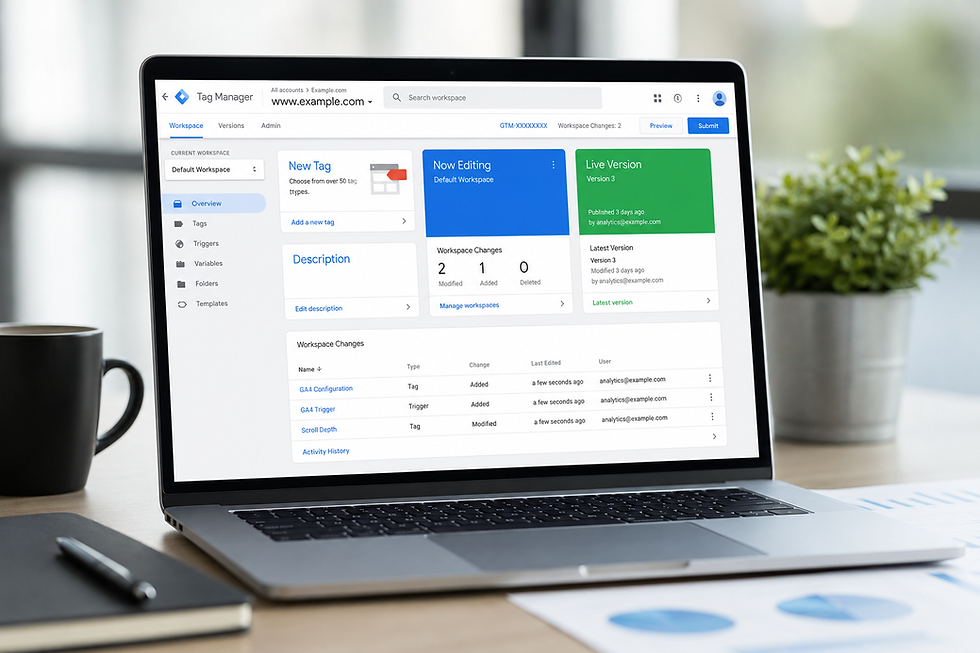
Google Tag Manager is a free tool from Google that allows you to manage all tracking scripts and marketing tags in one place — without needing to constantly edit your website code.
A “tag” is any piece of tracking code, such as:
Google Analytics (GA4)
Google Ads conversion tracking
Meta/Facebook Pixel
LinkedIn Insight Tag
Event tracking scripts
Heatmaps (Hotjar, Clarity)
CRM tracking integrations (like Go High Level)
Instead of placing all of these individually on your website, GTM acts as a container that controls everything.
Why Google Tag Manager Matters More Than Ever
Modern marketing is no longer just about having a website.
It’s about understanding behaviour.
GTM enables businesses to track:
Button clicks
Form submissions
Phone number clicks
Scroll depth
Video engagement
Appointment bookings
Quote requests
Download activity
This is critical because:
Traffic without behavioural data is useless for decision-making.
With GTM, you move from:
“We had 2,000 website visitors”
to
“We had 2,000 visitors, 48 enquiries, 19 bookings, and $32,000 in revenue generated from specific campaigns.”
That is real marketing intelligence.
Step 1: Creating Your Google Tag Manager Account
To get started:
Go to Google Tag Manager
Click “Create Account”
Enter your:
Business name
Country
Create a “Container” (this is your website)
Select platform: Web
You will receive two pieces of code:
One for the <head> section
One for the <body> section
Step 2: Installing Google Tag Manager on Your Website
You must install both GTM snippets on every page of your website.
Option 1: WordPress
Use a plugin like:
Header/Footer scripts plugin
Or GTM integration plugin
Option 2: Shopify
Paste GTM into theme.liquid file
Option 3: Go High Level Websites
Insert GTM into the website tracking settings
Option 4: Manual Code
Add GTM script into your website header and body sections
Step 3: Understanding the Core Components of GTM
To use GTM effectively, you need to understand three key elements:
1. Tags
These are tracking codes (e.g. GA4, Meta Pixel)
2. Triggers
These define when a tag fires (e.g. form submission, page view)
3. Variables
These capture dynamic information (e.g. click text, page URL)
Together, these control your entire tracking ecosystem.
Step 4: Setting Up Google Analytics 4 Inside GTM
Instead of installing GA4 directly on your website, you should install it via GTM:
Create a GA4 Configuration Tag
Enter your Measurement ID
Set trigger: “All Pages”
Publish container
This ensures all future tracking is controlled centrally.
Step 5: Tracking Key Business Actions (Most Important Step)
This is where most businesses fail.
They install GTM… but never track meaningful actions.
You should set up event tracking for:
Contact form submissions
Click-to-call buttons
Email clicks
Appointment bookings
Quote requests
Add-to-cart (eCommerce)
Downloads (lead magnets)
Each of these should be configured as:
Trigger → Event happens
Tag → Event sent to GA4
Step 6: Testing Your GTM Setup
Before publishing changes:
Use Preview Mode to:
Test tags firing correctly
Confirm triggers work
Validate event tracking
Check GA4 data flow
Never skip testing — this is where errors are caught.
Step 7: Publishing Your Container
Once tested:
Click Submit → Publish
Your tracking is now live.
Why GTM Is Critical for AI and Automation
AI systems rely on structured behavioural data.
Without GTM:
Data is incomplete
Events are missing
Attribution is inaccurate
AI insights become unreliable
With GTM:
Behaviour is fully tracked
Conversions are accurate
Marketing performance is measurable
AI can optimise campaigns
Common Google Tag Manager Mistakes
Installing GTM but not using it
Duplicating GA4 tracking
Missing conversion events
Not testing before publishing
Mixing hard-coded scripts with GTM
No naming conventions for tags
How DigitalxMarketing Uses GTM
At DigitalxMarketing, GTM is a core part of every system we build.
We use it to:
Track leads accurately
Connect CRM (Go High Level) data
Improve ad performance
Build AI-ready data systems
Create full marketing attribution models
Because without accurate tracking, optimisation is guesswork.
Final Thoughts
Google Tag Manager is not optional anymore.
It is the foundation of modern digital marketing tracking.
If Google Analytics is your reporting system, GTM is the engine that powers it.
Businesses that implement GTM properly gain:
Better data
Better insights
Better marketing ROI
Better AI performance
And ultimately:
Better business decisions.
About DigitalxMarketing
DigitalxMarketing Ltd is an AI Marketing Agency and business growth consultancy helping B2B and small to mid-sized businesses attract, convert, and retain more customers using intelligent marketing systems and automation. We developed DxM Marketing AI, our all-in-one AI marketing operating system that combines CRM, lead generation, sales pipelines, email and SMS marketing, websites, marketing automation, reputation management, analytics, and AI agents in one powerful platform. We provide full onboarding, training, and ongoing support so you can run your own marketing in-house, or we can deliver everything for you as a fully managed marketing and sales engine. Our services include AI-powered marketing systems, SEO, paid advertising, email marketing, content marketing, sales funnels, CRM, chatbot and AI agent deployment, and fully managed digital marketing.
Comments